


Digital Wallet
Your Signia Credit Union Debit Mastercard® can be used in your mobile device’s digital wallet. This means you can easily make purchases at participating merchants with your mobile devices to pay with Apple Pay, Google Pay, or Samsung Pay.
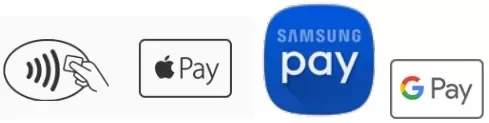
To see if a merchant accepts a digital wallet payment, be on the lookout for the following symbols at the terminal:
FAQs
How does it work?
The exact method varies by terminal or device, but in most cases, you simply hold the device close to the contactless reader on the merchant terminal. You may need to unlock the device or enter a passcode before making the payment.
Is it safe?
The digital wallet uses a payment token in place of your actual debit card in a process called Tokenization. Because the real card is never exposed, tokenized payments are very safe. Some Tokenization benefits are that it:
Improves transaction security.
Reduces risk of fraud from counterfeit cards.
Reduces the risk of a card compromise due to a data breach because your real card number would not be captured.
What happens if I lose my device?
If the device is lost or stolen, you should call us or the 24-hour debit card support at 1 (800) 383-8000 to hot card/block the card. It is also recommended that you use the online or app version of “Find My” or “Find My Device” and then put the device into Lost Mode, suspending all tokens in your device’s digital wallet.
What if my card is lost or stolen?
If your card is lost or stolen, you should call us or the 24-hour debit card support at 1 (800) 383-8000 to hot card/block the card. You may also request that we issue a new card. Please remember to delete the old card and add the new card to your digital wallet.
How do I add a card to my digital wallet?
On a qualifying device, you need to download the digital wallet of your choice and then follow the directions that are displayed. This process is known as provisioning. Once the provisioning request is approved, you may begin using your digital wallet.
Something went wrong when I tried to add a card to the wallet.
The initial provisioning activity is the only piece of new service that requires an active Internet connection for the duration of the process. Common reasons your provisioning request may have failed include:
Network-related problems (bad or no Internet access; TSP/Issuer/Digital Wallet Provider outage)
Device software/hardware issues
Expired/reissued card
Card blocked (for example: not activated, reported lost, etc.)
Important Debit Card Phone Numbers
Through our partnership with Shazam and their debit card processing services, we can offer our members and cardholders debit card support, even if our branch is closed.
| Lost or Stolen Debit Cards Please report your missing and presumed lost or stolen Debit MasterCard® immediately by calling one of the following cardholder support help lines |
Call |
|---|---|
| Local | (808) 624-9884 |
| 24-hour Card Support | (800) 383-8000 |
| International Cardholders | (812) 647-9794 |
Debit Card Dispute Services
For assistance initiating a dispute or fraud claim for unauthorized debit card transactions, call (833) 288-1126 for Debit Card Dispute Services with Shazam.
Debit Card Fraud Services
If you received a call from our Fraud Department with Shazam, wanting to verify suspected fraudulent transactions, call them back at (855) 219-5399.
Debit Card Activation and PIN Creation
To activate your Signia Credit Union Debit Mastercard® or create/reset your PIN, call (800) 717-4923 from your phone number on file.